The Getting Things Done technique teaches us that our brain is a terrible storage unit– that we need a trusted system to store ideas, otherwise we’ll end up forgetting everything.
How we capture these thoughts into notes makes all the difference.
We’ll walk you through a few ways you can take notes. Not the stiff, schoolbook version we were forced into (although that also counts), but the kind that actually works for you.
Classic Methods
Most of us encountered the classic note-taking methods in school. It’s what we used (and still use) before apps and color coding. They may not be flashy, but they’ve survived this long because they work.
1. Outline Method
Best For: Perfect if you love order or are dealing with material that follows a clear flow e.g., lectures and step-by-step instructions.
The outline method is probably what comes to most people’s minds when they think about structured note-taking.
The method works by building a roadmap of the material. You start with the main topic, jot it down in the left margin, and then indent subtopics beneath it. You can then have supporting details under these subtopics.
It looks a lot like a family tree with the broad subject at the top and the details branching downward.
The outline method works because it’s logical, straightforward, and gives your notes a clear hierarchy.
This is your go-to method if you love seeing things fit together neatly.
Pros:
- Gives your notes a clean and organized structure.
- Useful for reviewing, as you can scan and spot the main ideas instantly.
- Perfect for linear, logical information.
Cons:
- Can be difficult and time-consuming to adjust if things move too quickly.
- Falls apart if the speaker covers topics out of order.
2. Sentence Method
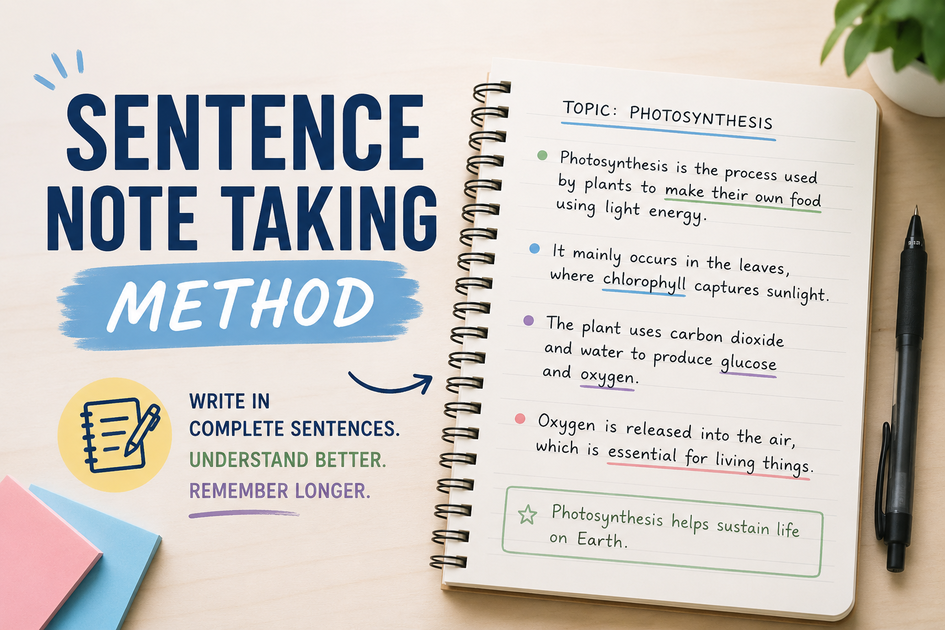
Best For: Speed over structure. Used in fast lectures, interviews, and brainstorming sessions.
The sentence method is another popular method, and what most of us use. You write down every piece of information or new thought as a separate sentence. It’s quick and easy and doesn’t require much setup.
There are no indents, charts, or categories; you just keep writing line after line. Later on, you can group or reorganize the information if you need to.
You use the sentence method when you don’t have time to fuss with formats and don’t want to miss any detail.
Pros:
- Fast and easy to use, with minimal structure.
- Captures lots of information quickly.
Cons:
- Hard to see main ideas at a glance since it lacks hierarchy.
- Notes are messy and harder to follow, especially when you don’t edit later.
3. Cornell Method
Best For: Students, researchers and anyone preparing for exams and presentations.
The Cornell method is popular for its simple yet highly effective structure. It dates back to the 1950s at Cornell University and was what students used to take better notes and learn from them rather than just copy information.
The method works by dividing your page into three sections. The left section has a narrow column for cues and questions. The larger right-hand column is for your notes during class or meetings. Then, the bottom has a space for a quick summary.
You can revisit your notes, write a short summary in your own words at the bottom, and add prompts in the cue column.
This method is effective because it forces you to engage with your notes.
Pros:
- Keeps notes structured without being rigid.
- Makes you revisit and summarize your notes, and thus, encourages active learning.
- Perfect for reviewing later.
Cons:
- Takes extra effort after the session to summarize and fill in the cues.
4. Charting Method
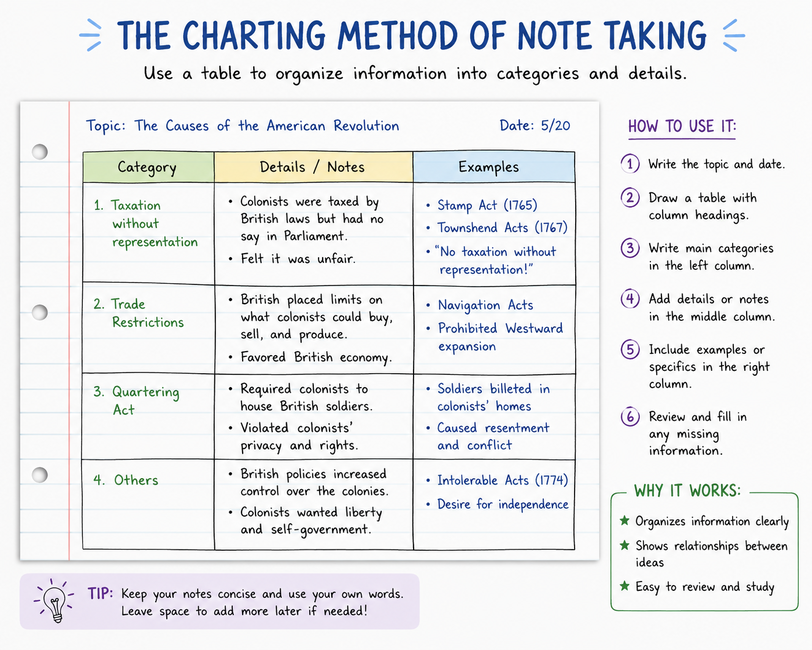
Best For: Dealing with data-heavy or side-by-side comparison material, for example case studies, history timelines, and business reports.
The charting method organizes your notes through columns and tables. It doesn’t have long notes in paragraphs and lists. Instead, you set up a chart with headings across the top and fill in details row by row as you go.
You draw a table before a lecture or meeting. Each column gets a label, for example, names, dates, events or key points. During the session, you slot the information into the correct category.
It’s effortless, plus it makes your notes easier to scan later.
Pros:
- Perfect for sorting data-driven and complex material.
- Makes reviewing and memorizing much easier.
- Excellent for visual learners who love patterns.
Cons:
- Doesn’t work well with free-flowing lectures and discussions without clear categories.
- It takes preparation since you need to set up the chart beforehand.
5. Q/E/C Method
Best For: Learners who want to engage deeply with the material e.g., students writing essays and professionals analyzing reports and case studies.
The Question, Evidence, and Conclusion (Q/E/C) method pushes you beyond passive note-taking. Instead of just recording what’s being said, you organize and analyze information as if you are building an argument.
Here’s how it works: you frame the main points as questions when taking notes. You then jot down the evidence (explanations, facts, and examples) that supports and responds to the question.
You then wrap the entire thing up with a conclusion, where you summarize the takeaway in your own words.
This method forces you to think critically and not just write things down.
Pros:
- Forces you to connect evidence with conclusions instead of copying notes blindly.
- Great for prepping essays, debates and structured discussions.
- Encourages deeper understanding and critical thinking.
Cons:
- Slow and time-consuming, and isn’t suited for fast lectures and meetings.
6. Rapid Logging
Best For: Juggling to-dos and brainstorming ideas.
Rapid Logging is a product of the Bullet Journal system introduced by Ryder Carroll.
The method is all about speed. You capture information, not in full sentences or long explanations, but in quick bursts using symbols and short phrases.
You can use bullet points for tasks and dashes or any other mark like an asterisk (*) for notes. You jot down information as it comes, and then take time later to review and organize the notes.
The goal of the technique is to keep moving without overthinking. It helps you when you want to capture everything quickly and still keep it recognizable for later.
Pros:
- It’s fast and flexible, making it perfect for busy environments.
- Acts as both a note-taking and task-tracking system.
- You are flexible to use symbols that make sense to you.
Cons:
- Can easily become messy if you don’t organize afterward.
- Doesn’t suit people who prefer structured, detailed notes.
7. The T-Notes Method
Best For: Studying and reviewing without the need for something formal.
The T-Notes method is a simple way to organize information in a neat and clear manner.
Draw a big T on your page. On the left, write down the main concepts or prompts. On the right, expand on them with supporting details and explanations.
In other words, the left is for key points, questions or keywords while the right side holds details, explanations and answers.
The method is perfect for taking and reviewing notes on topics where there are connections between concepts.
Pros:
- Fast and easy to set up.
- Structured well and easy to review later.
Cons:
- You may find yourself with limited space if you’re dealing with lots of sub-points.
- Doesn’t allow for much free-flow creativity.
Visual Methods
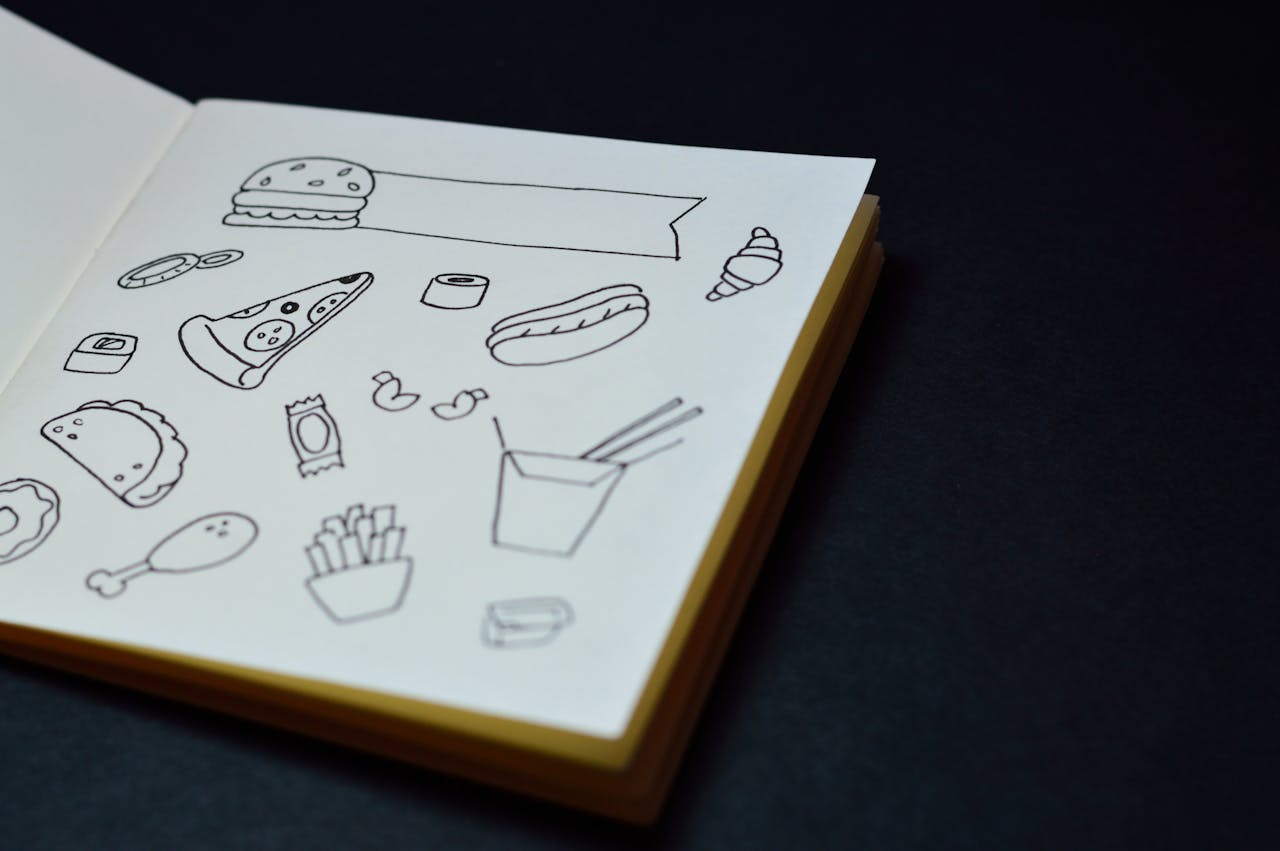
Visual methods are perfect for when you don’t need neat lines or bullet points. You instead lean on shapes and diagrams to bring clarity.
These methods are useful for creative work and brainstorming and any subject where ideas matter more than rigid outlines.
8. Mind Mapping
Best For: Creatives, brainstormers, and anyone who wants to see the ‘big picture’.
You’ll love mind mapping if you think in pictures rather than lines. As its name suggests, you create a visual map of your ideas and then connect them with branches and sub-branches. The idea is less about order and more about capturing relationships between concepts.
To get started, create a central idea in the middle of the page. Then draw branches outward for main themes, and smaller branches for supporting details. You can use arrows or different colors to make the connections stand out.
Mind mapping is useful for studying and writing subjects and projects with lots of interrelated parts.
Pros:
- Encourages creativity and free-flowing ideas.
- It’s easy to spot the relationship between topics.
- Perfect for brainstorming.
Cons:
- Not great for capturing fast, linear lectures.
- Can be more difficult to review compared to structured notes.
9. Boxing Method
Best For: Topics with multiple ideas that need to be separated.
The boxing method groups all related information into, well, boxes. The boxes act like containers and hold everything related to one idea or concept. It makes it easier to review later without having to dart your eyes around.
How do you go about it? When taking notes, draw a box around related points before moving on to the next. You may have one box holding definitions, another one key dates and another examples.
By the end, you have a page that looks more like a set of flashcards than a traditional notebook.
The method is perfect for those who love order but don’t want rigid outlines in their work.
Pros:
- Notes are visually clear and easy to scan.
- Perfect for reviewing and memorizing.
Cons:
- Can slow you down if the speaker moves quickly.
- Takes up a lot of space.
10. Sketch Notes
Best For: Creative learners and visual thinkers.
Sketch notes are more like doodling and note-taking combined. You don’t just rely on words, you combine diagrams, drawings, text and icons to capture ideas. The goal is to engage your brain in a visual way so that the information sticks.
As you take notes, you jot down keywords while adding simple sketches. You can use diagrams to explain processes and arrows to show connections. You can even use different lettering styles and color coding to bring notes to life.
Sketch notes are perfect for sessions and topics where visuals explain more than words ever could.
Pros:
- Incredibly fun and engaging.
- Reviewing notes is more interesting and less of a chore.
Cons:
- Is difficult if you’re not good at drawing.
- Time-consuming and not ideal for fast meetings and lectures.
11. Color Coding & Symbols
Best For: Anyone who reviews their notes often.
Color-coding isn’t a full-blown note-taking method on its own. It works by assigning different colors and marks to different information. This way, your notes become more scannable and memorable.
You can have blue for definitions and red for important notes. You can then add symbols like stars to denote priority items and question marks for things you need to follow up on. Your notes become bright and clear but also simple enough for you to understand.
Pros:
- Works with almost all other note-taking methods.
- Notes become easier to scan and review.
Cons:
- Can easily become overcomplicated if you use too many colors.
- Requires consistency, otherwise colors might lose meaning.
Digital Note-Taking

For many of us, the screen has replaced the notebook. We find it easier to use phones and laptops to capture ideas on the go. They give us the flexibility that pen and paper can’t.
12. Note-Taking Apps
Best For: Anyone who wants their notes organized, searchable, and accessible across multiple devices.
The presence of note-taking apps means you don’t have to carry around stacks of notebooks everywhere you go. They are organized and make accessing notes easier than ever.
You can sync notes across devices, attach photos and files, and even record audio. The best part is you can search for anything.
Pros:
- Easier to carry around compared to notebooks.
- You can sync across multiple devices for easy access.
- The searchable feature makes retrieval faster.
- Allows multimedia notes, that is, text, audio and images.
Cons:
- Depends heavily on the internet and your device’s battery.
- You risk losing data if not backed properly.
- Some apps require paid plans for full functionality.
13. Voice Notes & Recordings
Best For: People who want to capture every detail without distraction.
Voice notes and recordings are the only hands-free way of capturing notes in real-time. You don’t need to stress yourself with scribbling or typing away. Simply hit Record and let the machine do everything for you.
You can then play them back later, slow the speed and even transcribe using apps. This method is perfect for busy professionals and auditory learners.
Pros:
- Captures information verbatim and leaves no room for missed details.
- Less stressful, given it’s hand-free.
- Easy to review at your own pace.
Cons:
- Large audio files can take up lots of storage space.
- Skimming for quick reference can be difficult compared to written notes.
Tips for Making Note-Taking Stick

Taking notes is only half the job, making them useful is the other. A notebook (or app) full of scribbles won’t do much if you never revisit it. Here are a few tips to make your note-taking stick.
1. Summarize in Your Own Words
Copying notes word-for-word doesn’t do much for the memory. A better way to engage with the material is to take time and rephrase the ideas in your own words.
This way, you force your brain to process and organize information rather than just store it. It’s the mental effort that makes the knowledge stick.
2. Review Regularly
Don’t let your notes gather dust. Review them regularly, even for just 10 minutes a day. Doing so reinforces the information while it’s still fresh.
Some people opt for a daily skim while others prefer a weekly deep dive. Whatever you go for, consistency is key. It helps you notice gaps so you can fill them before the details fade.
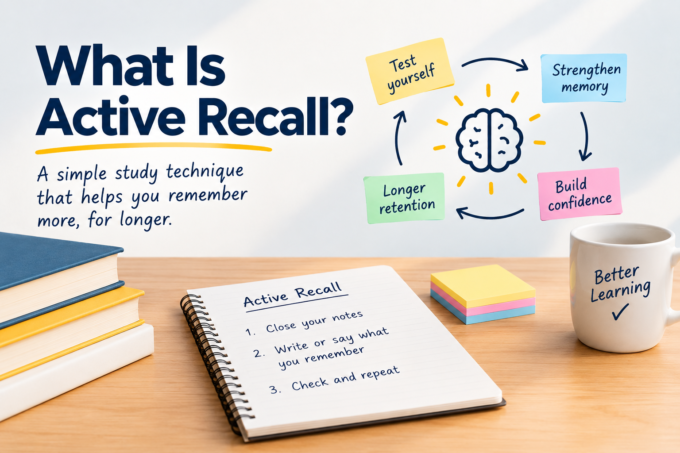
3. Use Active Recall
Reading your notes over and over can trick you into thinking you know the material. Use active recall to cut through this illusion.
Active recall is where you cover your notes and try to explain the points from memory. It’s okay if you get stuck. Check back and try again.
It’s a more difficult technique than passive reading, but it’s exactly what you need to strengthen your memory.
4. Keep It Organized but Flexible
The perfect note-taking technique is one that helps you and doesn’t stress you out. Don’t focus so much on perfection, otherwise it will all feel too rigid.
Instead, keep your notes organized. Label them and add notes and tags so it’s easier to review later. Also, allow room for flexibility.
You can outline during a lecture and then switch to mind maps during brainstorm sessions. It’s okay to mix methods if they keep you engaged.
Beyond Scribbles
Ultimately, note-taking isn’t about having the flashiest app or neatest notebook. It’s about creating a system that turns thoughts and ideas into something you’ll use.
What matters is finding a method, or mix of methods, that fits your style and stick with it long enough to make it second nature.