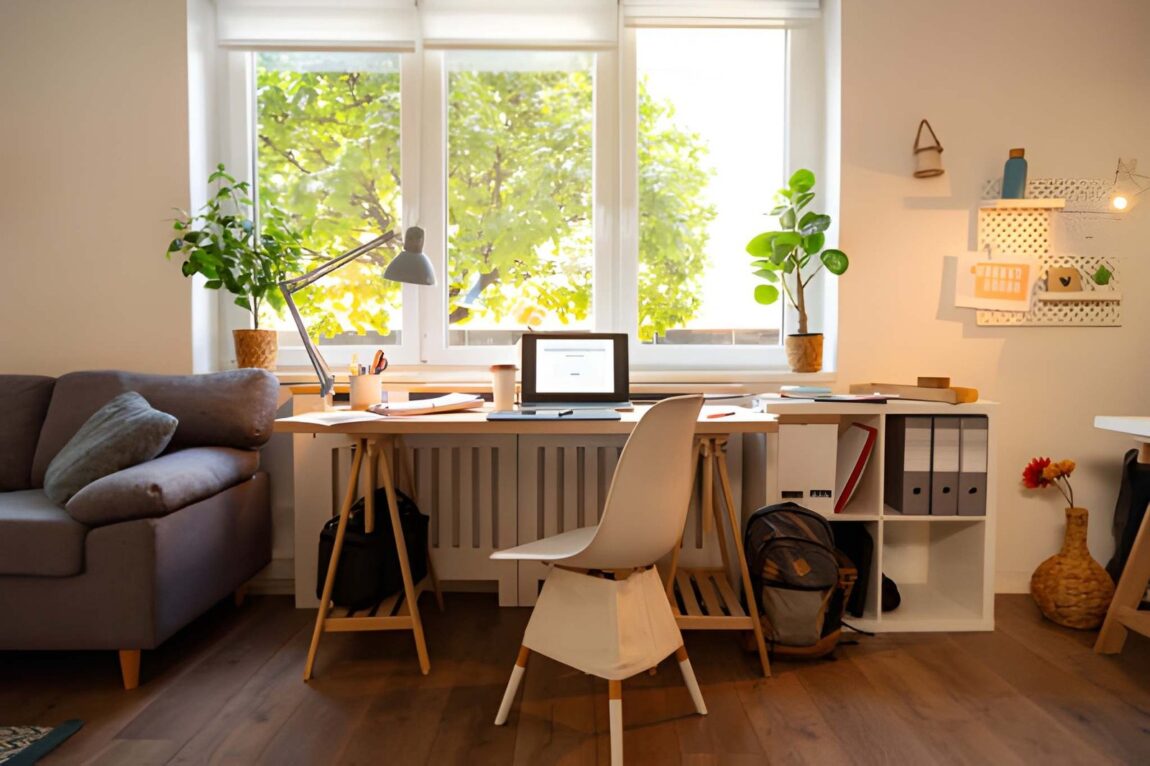
You don’t need a Pinterest-perfect home office to get things done, just a setup that works for you.
In this guide, I’ll share practical tips for creating a workspace that minimizes distractions, and boosts your focus.
1. Minimal Noise
Noise is one of the biggest productivity killers. Unlike visual distractions, which you can simply ignore, noise seeps into your concentration, making it harder to stay on task.
Some people work better with background music, which is fine. Some of us can’t stand even the slightest sound–not city noise, background chatter, or constant phone notifications.
Since it’s almost impossible to eliminate sound, focus on controlling the type of noise you’re exposed to.
2. Lighting and Temperature
Like noise, lighting plays a huge role in how focused and comfortable you’ll be throughout the day. You don’t want a workspace that’s too bright or too dim. Otherwise, you risk fatigue, headaches, and strain.
And if the temperature isn’t right, your body will constantly fight to stay comfortable, rather than focusing on work.
Position your desk near a window to maximize natural light, and have it perpendicular to the window to prevent glare. If you work late, consider getting a desk lamp for a cozy work atmosphere.
The ideal temperature for productivity is between 70–73°F (21–23°C). Anything too hot or too cold forces your body to work harder to stay comfortable, making you less focused.
3. Declutter

It’s easy to let things pile up on your desk when working from home. Notebooks, coffee mugs, random pens, yesterday’s snack wrappers–you name it.
Look at everything on your desk right now and ask yourself: Do I use this every day? If you do, keep it; if not, move it.
Your desk should only hold your essentials: your laptop, a notebook, a pen, and maybe a cup of coffee. Find a proper home for everything else.
One habit I find particularly useful is the two-minute rule. If a task takes less than two minutes to handle, I do it immediately.
I put my notebook back in the drawer once I finish using it. Every document is either filed or trashed, and my coffee cup goes to the sink as soon as I’m done with it.
At the end of the workday, before you log off, put everything back in its place, wipe down your desk, close your laptop, and mentally “clock out.”
These small habits prevent clutter from creeping back into your workspace.
4. Use the Right Technology
A desk and a laptop work just fine. But if you are serious about your productivity, you need to upgrade your setup and make it work.
Gadgets like noise-canceling headphones and dual monitors boost your focus. An ergonomic chair makes you comfortable, and a label maker keeps you organized.
The best productivity apps, such as Todoist, help you organize and manage tasks so that you can focus on what’s important.
5. Develop a Routine
Without structure, you are unlikely to get much done. You’ll sit down and realize three hours later that you’ve barely made any progress.
You need a routine to help you stay focused when working from home. Create a to-do list where you cross off the day’s completed tasks and plan for the next day.
Close your laptop to signal that work is over, and don’t forget to tidy up your desk so you start fresh the next day.
6. Be Flexible
Productivity is not the same as perfection. My routine and workspace today are very different from what they were two years ago. I’ve changed houses, moved jobs, and bought a few home items while at it.
It’s great to wake up every day and sit at your desk, facing your bedroom window. But it may (and most likely will) get boring with time. When it does, move. You are not stuck in that location.
If, for whatever reason, you can’t start working at 9 a.m. on a particular day, that’s fine. Shift your schedule by an hour or two.
One beauty of working from home is that you are free to bend your workspace and schedule however you like.
Your Productivity, Your Rules
The perfect home workspace is what works for you. It’s a space and rhythm that helps you do your best work every day.
Through experience, I’ve learned that this is a mix of intentional design, the right tools, a flexible mindset, and a clear routine—a recipe that turns an ordinary corner of your home into a productivity powerhouse.
Your home office should empower you, not exhaust you. Now, go make it happen.
How to control noise when working from home.