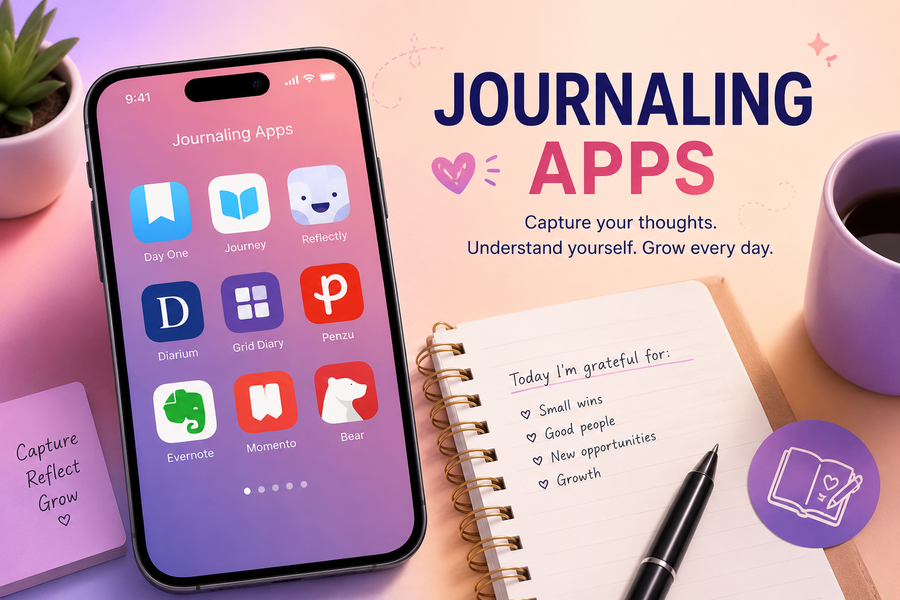
You no longer need to carry a journal wherever you go. The right journaling app will allow you to capture ideas and vent after a long day, all from your phone or computer.
To save you the trial and error, we’ve rounded up the best journaling apps worth downloading. There’s an app on this list that will feel right at home.
Note: The prices are as of the time of writing.
1. Day One
Best For: Daily reflection and overall journaling
Price: Check pricing
Day One is hard to beat, since it does almost everything well. The app has been around for years, and has built a reputation for being one of the most polished journaling apps available.
Its clean interface keeps the focus on writing, while the useful extras work quietly in the background.
Entries are organized chronologically, making it easy to revisit memories from months or even years ago.
Features:
- Available on iPhone, iPad, Mac, Android, and the web.
- Supports photos, videos, audio recordings, and documents.
- Journal templates and writing prompts to help you build a consistent habit.
- Daily reminders and streak tracking.
Day One excels at combining simplicity with powerful organization tools. It feels just as suitable for someone writing a few lines each evening as it does for someone documenting years of memories with photos and audio recordings.
Its biggest drawback is that some of its best features are reserved for paid subscribers.
2. Daylio

Best For: Habit tracking and journaling without long entries
Price: Free plan, premium starts at $35.99
Daylio is for you if you love journaling but simply don’t want to write pages. Instead of typing paragraphs, the app lets you record your daily activities and moods with only a few taps.
Of course, you can still add written notes and details whenever you want. But it’s this flexibility that makes Daylio a great choice if you’re trying to build a journaling habit but struggle to stay consistent with traditional journaling.
Features:
- Supports photos in journal entries.
- Tracks quick moods with customizable mood levels.
- PIN lock and biometric authentication for privacy (on supported devices).
- Syncs through Google Drive (Android) or iCloud (iOS).
Daylio stands out because it removes the pressure of having to write every day. That said, you may find it a little too structured if you enjoy writing detailed journal entries.
3. Apple Journal
Best For: iPhone users
Price: Free
If you have an iPhone, you already have a capable journaling app sitting on your device. The Apple Journal app was introduced with iOS 17.2 and later versions. It offers a clean and minimalist place to record your thoughts without the need to download another app.
The app blends naturally with the Apple ecosystem. It can suggest moments worth writing about based on locations you’ve visited, music you’ve listened to and other activities stored on your device.
Features:
- Free and pre-installed on compatible iPhones running iOS 17.2 or later.
- Clean, distraction-free writing interface.
- Ability to bookmark entries for easy access.
- Synchronization through iCloud.
- Journal protection using Face ID, Touch ID, or device passcode.
Apple Journal is limited to iOS, making it less practical for Android and Windows users.
4. Grid Diary
Best For: Self-reflection and guided journaling
Price: Check pricing
Rather than presenting an empty page, Grid Diary uses a grid of thoughtfully designed prompts to guide your reflections.
You don’t need to think about what to write, you simply respond to questions. The app’s goal is to make journaling feel much less intimidating.
You can customize the app and create your own prompt grids for travel, productivity, or whatever you like.
Features:
- Comes with customizable journal templates and question grids.
- Passcode and biometric protection on supported devices.
- Features Calendar view for browsing past entries.
- Cloud synchronization across supported devices.
Grid Diary strikes a nice balance between structure and flexibility. It’s ideal for beginners while experienced journalers can tailor it to their routine.
The many customization options may make the interface feel a little busy. And some advanced features will require a premium subscription.
5. Evernote
Best For: Combining journaling with note-taking
Price: Check pricing
Evernote isn’t built exclusively as a journaling app, but it’s flexible enough to work as one. It’s ideal for when your journal includes meeting notes, articles, and random ideas.
The app’s biggest strength is in its organization. It lets you organize entries into notebooks and tag them. This makes it easy to search through thousands of notes.
Features:
- Rich text editor with formatting options.
- Notebooks and tags for organizing journal entries.
- Offline access on supported plans.
- Cross-platform availability on Windows, Mac, Android, iPhone, and the web.
- Calendar integration on supported plans.
Given that Evernote isn’t an original journaling app, it misses out on features like mood tracking, guided prompts, and journal-specific templates.
6. Diarium
Best For: Offline journaling
Price: Free plan, Pro at $4.99 for Android and iOS, $9.99 for macOS and Windows
Diarium is worth a look if you prefer not to rely entirely on cloud services. It lets you store your journal locally on your device but still offers the option of cloud synchronization if you want.
Each journal entry is more than a text. You can attach photos, videos, documents and even location information.
Features:
- Works offline with local storage.
- Supports photos, videos, and audio recordings.
- Available on Windows, Android, iPhone, and macOS.
- Passcode and biometric protection on supported devices.
Diarium’s interface is straightforward and its performance is decent even without an internet connection.
That said, its collaboration features are limited, and its design isn’t quite as polished as some competitors.
7. Journey

Best For: Cross-platform journaling across multiple devices
Price: Check pricing
Journey makes it easy to keep up with your journal if you regularly switch between your phone, tablet and computer. It’s available on Android, iOS and the web and is one of the most accessible journaling apps.
It balances simplicity with a wide range of useful features. You can write traditional journal entries, attach photos and videos, and organize everything using calendars and tags.
Features:
- Available on Android, iOS, Windows, macOS, Linux and ChromeOS.
- Supports photos, videos, audio recordings, and file attachments.
- Passcode and biometric security on supported devices.
- Provides guided journaling prompts.
The app’s free version covers the basics, and you’ll need a subscription to unlock more advanced features.
Consistency is Key
Whatever app you choose, remember that consistency is key. Sure, you don’t need to write pages every day. Even a few sentences can become a valuable record of your life over time.
Pick an app that fits your routine, make it a habit to open it regularly, and let your journal grow one entry at a time.