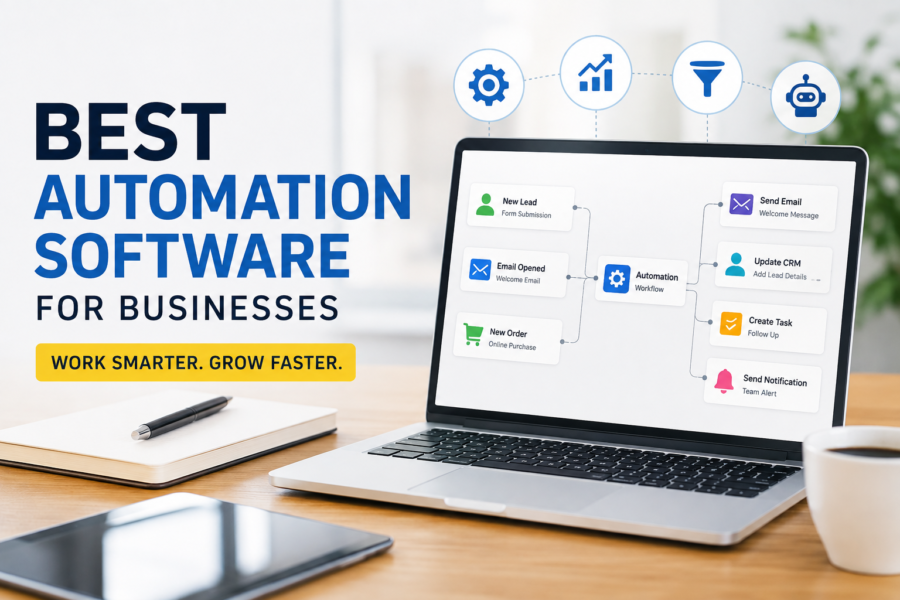
Automation saves you from yourself. It handles the invoices you promised to send ‘tomorrow’ and the endless tabs you swore you’d close. This way, you get time to focus on important work.
Consider our pick for the best automation software tools of 2026.
1. Monday.com
Best For: Visual project management
Pricing: Check price
Monday makes work look better than it feels. Its interface is clean and colorful, and it’s so easy to use that almost anyone can work it out without needing a manual.
How it works is that you’ve got boards where you organize projects, assign tasks, set deadlines; ideally keep everything and everyone on the same page.
You can then assign tasks automation rules. For instance, once you add a task, you can set a due date one week out, or once a task’s status changes to Done, you can have it ‘Notify the manager.’
Such automations cut down on repetitive check-ins and become little time savers.
What I Like:
Monday is visual. Its color-coded statuses and customizable layouts make it insanely easy to understand everything that’s happening with a project.
The automations are natural too, and you don’t need technical knowledge to set them up. Yet they save hours of repetitive tasks every week.
What Could Improve:
While there is a free plan, most of the software’s exciting features are locked behind the paid plans, and you’ll have to pay up to enjoy them. Also, the price can sneak up on you when you’re scaling up and your team is growing.
Even so, the software remains a solid choice for teams that need a visual and easy-to-use space to manage their projects and automate routine tasks.
2. Zapier
Best For: Connecting apps with no-code workflow automation
Pricing: Check price
You go to Zapier when you want your apps to talk to each other without any line of code.
The software works on the principle that if something happens on one app, Zapier will trigger an action in another.
For instance, you can have Slack notify you whenever a client books a meeting on Calendly, or Typeform responses can automatically be sent to Google Sheets.
It has 6000+ integrations, making it one of the largest automation software available.
What I Like:
Zapier is easily accessible. You can set up a Zap in minutes without any coding knowledge. And the sheer range of integrations is another win. There are so many tools you can stitch together, some that you didn’t even know exist.
What Could Improve:
Zapier’s sweet spot is simple workflows. But you’ll hit the ceiling pretty quickly if you are looking for something more complex, with heavy logic and real-time data synchronization.
Its pricing is also one to watch. It looks affordable on paper but can quickly balloon if you’re running thousands of tasks every month.
But this doesn’t erase the fact that the software holds your favorite tools together and keeps work moving.
3. Microsoft Power Automate

Best For: Automating workflows across the Microsoft ecosystem
Pricing: Check price
If you rely heavily on Microsoft, Power Automate will feel more like an extension of your workflow. The software is designed to link Microsoft’s suite of tools together and automate repetitive workflows across them.
You can save email attachments automatically to OneDrive and send a Teams message when a new item is added to SharePoint.
What I Like:
I love how easily Power Automate blends into the Microsoft environment. The learning curve is minimal if you and your team already use Office 365.
The software is also versatile enough to handle both simple and advanced automations. It gives you a lot of value with little setup.
What Could Improve:
The software is only appealing if you live in the Microsoft ecosystem. If not, the interest drops dramatically. It performs best when you are already within Microsoft’s walls.
And while it’s powerful, it can feel old-fashioned especially when compared to platforms like Zapier.
4. HubSpot
Best For: Marketing and CRM automation.
Pricing: Check price
If you are in the sales and marketing space, you’ve probably heard of HubSpot. This is one of the most popular CRM and marketing automation tools, and rightfully so.
The software brings together email campaigns and social media management under one roof. It’s an excellent choice for businesses that want customer engagement and automation in one place.
What I Like:
HubSpot integrates CRM and marketing functions easily. You can schedule blog and social posts and set up automated email sequences without the need for separate tools.
It also has an analytics dashboard that gives you real-time insights on your performance and where you need to adjust.
What Could Improve:
HubSpot’s vast features can make it feel overwhelming at first. And if you’re a small team, you may find yourself paying for tools that you don’t fully use or need.
Still, it remains an incredible tool for large businesses looking for a complete solution for marketing and CRM automation.
5. Pipefy

Best For: Standardizing internal processes like HR and finance
Pricing: Check price
Pipefy helps teams organize and automate processes without the need for advanced technical skills. Teams in HR and finance will find it useful to manage tasks through visual pipelines.
What I Like:
Pipefy stands out for its simplicity. It allows you to build and customize workflows quickly, and even integrate with tools you already use. And you don’t need any code, meaning you can set it up without having to wait for IT support.
I also love its clean and intuitive interface which makes it easy for everyone to adopt.
What Could Improve:
One limitation of Pipefy is that its analytics and reporting aren’t as robust as other larger platforms. And you’ll need an add-on or third-party tool for complex workflows.
6. Workato
Best For: Best for enterprise-level app integrations.
Pricing: Check price
Workato blends automation and integration into one powerful tool. And its pricing depends on your use scale.
The software will automate everything from HR onboarding to finance approvals.
What I Like:
Workato’s integrations go deep. It doesn’t just scratch the surface. It allows you to set up conditional workflows across different departments and apps.
What Could Improve:
The learning curve with Workato is somewhat steep. It may take some time to know how to get around it. Its price also isn’t friendly for smaller teams.
7. UiPath

Best For: Best for robotic process automation (RPA) on desktops and legacy systems.
Pricing: Check price
UiPath is a Robotic Process Automation (RPA) tool that will offload repetitive, rules-based tasks to software bots. It mimics human actions on a computer.
It will log into systems, copy data, process invoices, generate reports and move files across apps without making mistakes or getting tired. And it does so at scale.
What I Like:
UiPath will replace hours of manual work. Deploy it across different departments and the cost and time savings compound dramatically. Plus it’s accurate, which is a huge bonus in industries like finance and insurance where even small mistakes can be costly.
What Could Improve:
Of course, UiPath is complex to use. It’s not like the other software that you pick up in a few minutes. It requires significant training and, at times, developers to build and manage automations.
It also requires licensing, which may be costly for small businesses.
8. Mailchimp

Best For: Best for email marketing
Pricing: Check price
Mailchimp is one of the most recognizable names in marketing automation. It’s often the first tool many businesses turn to when they want to automate their reach.
There’s a free plan for beginners with options for paid tiers. It’s affordable enough for small businesses and still powerful enough to help them grow.
What I Like:
Mailchimp’s biggest selling point is its ease of use. You can design a beautiful email campaign using the drag-and-drop builder and track it with the analytics.
Now, the platform is expanding and offering users social media posting and even AI-driven content suggestions.
What Could Improve:
The pricing grows quickly with your list and advanced features. You may also find its automation slightly limited compared to more specialized tools.
9. Omnisend

Best For: Best for e-commerce automation with email and SMS
Pricing: Check price
Omnisend takes email marketing a notch higher by building its automation around ecommerce. It’s one of the best choices for ecommerce brands and online stores wanting to automate communication across email and SMS.
What I Like:
Omnisend is laser-focused on e-commerce unlike Mailchimp that casts a wide net. It comes with pre-built workflows like order confirmations and product recommendations. Plus, you can integrate it with platforms like Shopify and WooCommerce.
It simplifies ecommerce marketing without having to build complex automations from scratch.
What Could Improve:
Since Omnisend doesn’t try to be everything to everyone, it won’t make much sense if you’re not running an online store. And while its reporting is useful, it can feel less advanced than enterprise-level marketing platforms.
10. Brevo
Best For: Affordable email marketing and CRM
Pricing: Check price
Formerly Sendinblue, Brevo is a popular CRM and marketing automation software. While Mailchimp is the go-to option for beginners, Brevo doubles down on ecommerce.
It combines email, chat, SMS, and CRM features under one roof.
What I Like:
Brevo is easily approachable for businesses that are growing into automation. The ability to send WhatsApp and SMS messages alongside emails without overcomplicating things gives it an edge.
And its pricing structure is also generous if you manage a large contact list but don’t need to send millions of emails.
What Could Improve:
Brevo falls slightly short in its advanced marketing automation. It doesn’t have the depth of HubSpot and you may find its email builder less intuitive than its competitors.
But it still offers so much value and is hard to beat.
The Perfect Automation Match
Automation doesn’t replace human work, but instead, it makes room for work that matters. The right automation tool will depend on what challenge you’re looking to solve and what stage your business is in.
For small teams dipping their toes in, tools like Mailchimp and Pipefy offer a starting point. When you need more muscle, you can turn to Workato or Microsoft Power Automate.
Once you find the right fit, everything will work wonders.